I’ve implemented driving using waypoints, but there’s something wrong with the direction. The car does not act like a ‘traffic’ car, trespassing traffic signals, hitting others cars and more. It just gives attention to the objective, which is reaching the waypoints, and ignores the rest.
You’ve identified a known limitation: drive_using_waypoints() doesn’t respect traffic signals like 'traffic' mode does. It’s designed for path-following, not full traffic rule compliance.
Workarounds:
Lower aggression and conservative speeds:
vehicle.ai.drive_using_waypoints(
    waypoints,
    drive_in_lane=True,
    avoid_cars=True,
    route_speed=30 / 3.6,
    route_speed_mode='limit',
    aggression=0.2  # Lower than 0.3 for more cautious driving
)
Note: You’re calling vehicle.ai.set_aggression(0.3) separately, but drive_using_waypoints() already accepts an aggression parameter, so set it directly in the method call instead.
Unfortunately, there’s no way to combine full traffic signal compliance with waypoint navigation in the current API.
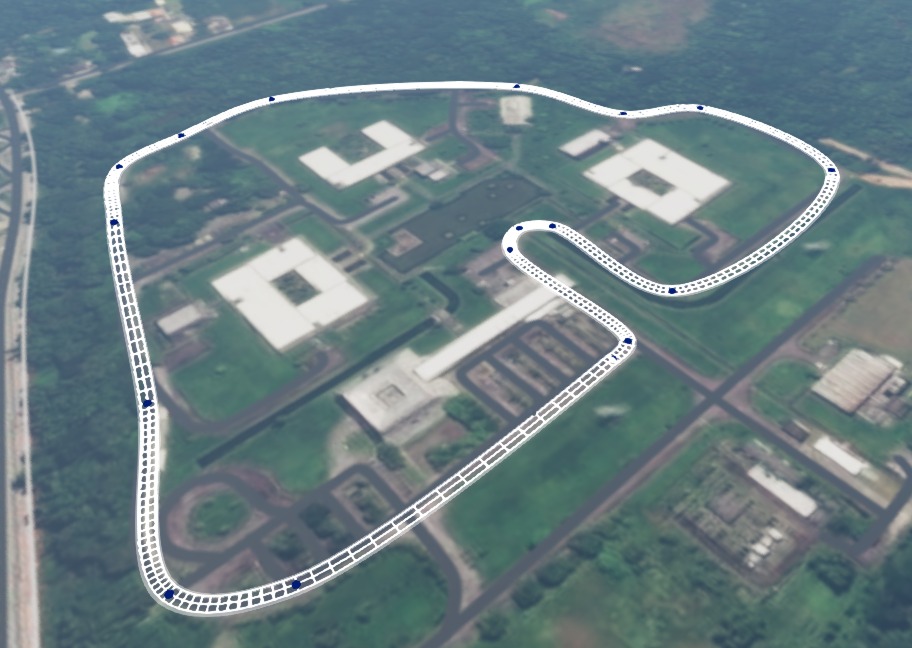
I’ve tried another approach, using a closed circuit to avoid those issues. With the world editor tool, I put aome waypoints along the given closed circuit:
. But I have faced another problems. Calling the drive_using_waypoints passing the list of wps, (which I labeled p1, p2, p3 etc), the following error message is shown:
When working on a custom map with no existing roads, drive_using_waypoints requires a valid navgraph with drivability > 0. first. Alternatively you could do the following:
Script AI Editor — draw or record a path in-simulation, then replay it:
vehicle.ai.set_line([{'pos': (x, y, z), 'speed': 10}, ...], cling=True)
Hint:
Enable the road graph and waypoint visualisation in World Editor
World editor → View → Visualization Settings, then make sure these two are checked:
Setting
What it shows
BeamNG: Draw Waypoints
Shows all BeamNGWaypoint objects as spheres in the scene — you can see their radius (which equals their scale) and whether they overlap the road graph
Navgraph: Road Drivability
Draws the AI road graph — green = fully drivable, red = low drivability, no line = not in graph
The error “Path between waypoints ‘DR1_2’ - ‘p1’ Not Found” means the AI found a road network node near your vehicle (DR1_2) but has no graph connection to your waypoint p1. The most common cause is that your waypoints are either not placed on a road network, or are using the different name from the script.
Once the road exists, add waypoints using either method:
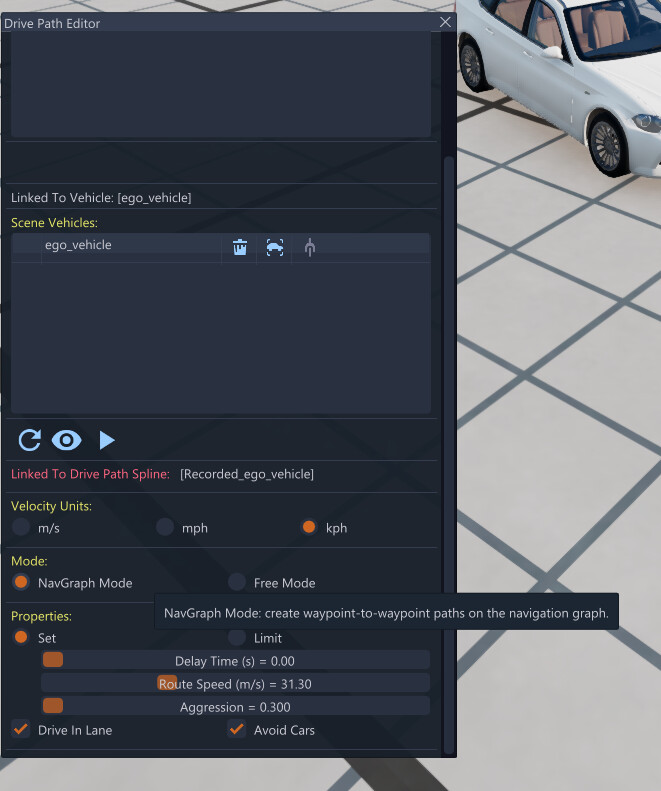
Drive Path Editor(World Editor → Create → Drive Path Editor)
It’s recommended to Set mode to Navgraph mode snaps each point to the nearest navigraph node, guaranteeing path-finder connectivity.
Manual placement(World Editor → Create Object → BeamNG → Waypoint)
Place a BeamNGWaypoint directly on the road surface.
Verify your waypoints loaded and are named correctly
Before calling drive_using_waypoints(), use this snippet to print every waypoint the level actually loaded:
all_wps = beamng.scenario.find_objects_class("BeamNGWaypoint")
available = {wp.name for wp in all_wps}
print(f"Found {len(available)} waypoints: {sorted(available)}")

waypoints = ["p1", "p2", "p3"]  # replace with your actual names
missing = [w for w in waypoints if w not in available]
if missing:
    print(f"WARNING: not found in level: {missing}")
If missing is non-empty your waypoints either were not saved/reloaded, are named differently than expected, or are not placed on a road network.

 BeamNG: Draw Waypoints