Trying to create an airbag version of Pressure Ball

Hi,

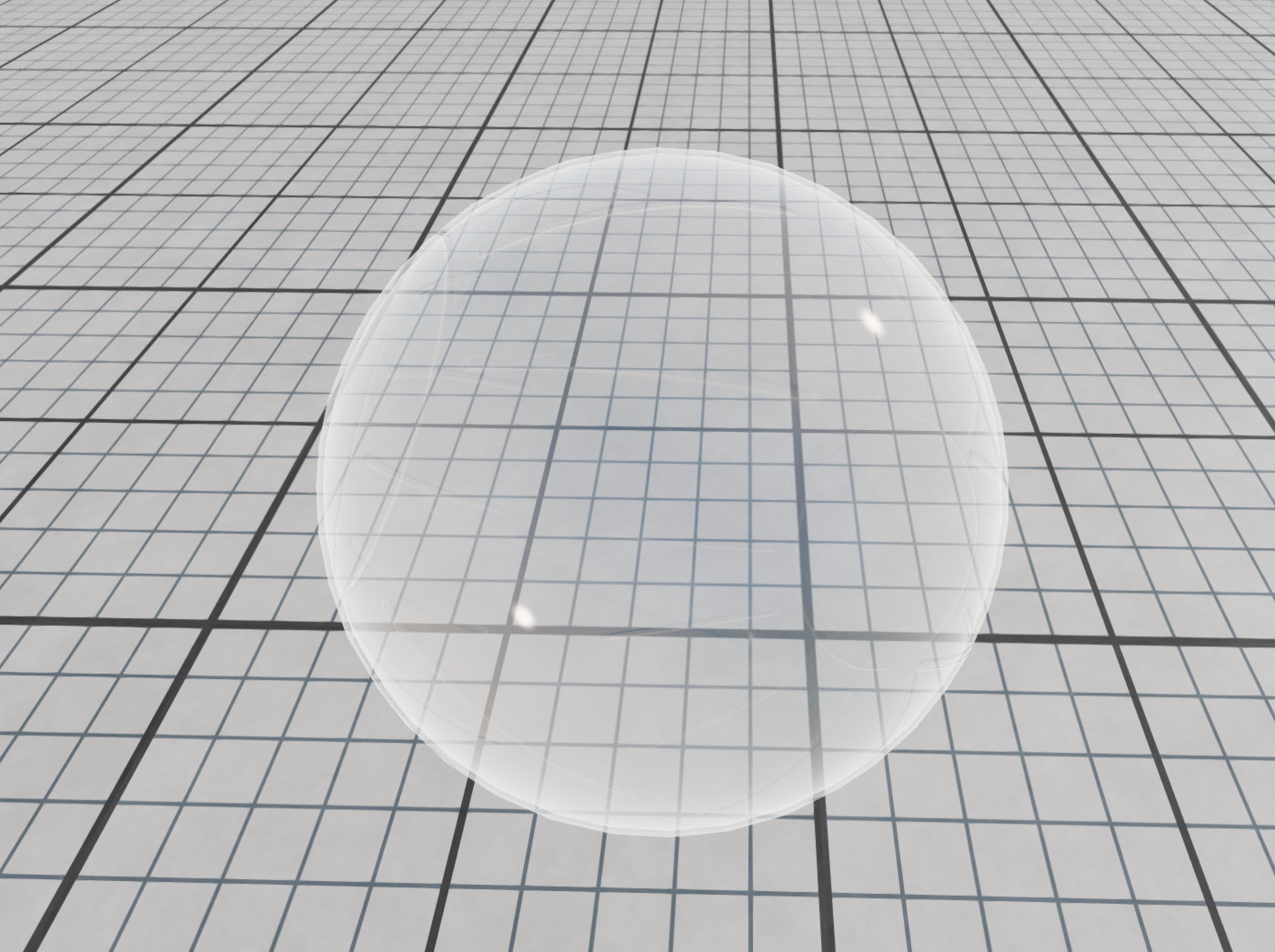
I am trying to create an inflated airbag. For initial setup, I am using an airbag model and created the JBeam, I have followed how pressure ball (JBeam file) is created, copied the parameters and their values. But when I am have imported it as a mod, the airbag is breaking. I can not figure out what can be the issue. I have attached a screenshot of the pressure ball

and a link to the screen record of the airbag here. Any kind of help is appreciated.

Here is the link to the video. Thanks.

Hi SuvrangshuBarua,
simulating an airbag is not trivial. One thing you need to take care is that the outer hull of your shape is not folding, otherwise the forces due to the pressure can go inward and your bag is collapsing and causes a instability.
To debug your structure.

  • set physics to slow motion (Alt + Arrow left)
  • reload your jbeam (Alt + R)
  • toggle through debug views (Ctrl + B; Ctrl + M)
  • visualize the origin of your instabilities

Generally critical is balancing the mass and the stiffness. For debug reasons you might want to significantly increase your node masses and then you can stepwise reduce the weight and see the influence on stability.
For a really lightweight structure you might need to increase the physics frequency, which is possible in .tech.

1 Like

Hi again,

Thanks for your valuable advice. I have created another simplified model of the airbag, as the previous one had overlapping mesh. I followed the same procedure, but the flexbody is not showing at all. I can’t figure out what the issue is. I have attached the mod as a zipped file. Thanks. The drive Link.

I can see your mesh in BeamNG. It is huge and floats in the air. At the start the camera position is inside the structure and therefore not visible. But If you move with the camera to the outside, it is visible.

Hi,
Thank you for your reply. I tried to zoom out but I can’t see the mesh unfortunately. I can only see the beams on the floor (in debug view) but in your screenshot, I can see the floating flexbody has beams which was not my case. Is there anything I am doing wrong?

I did not do any modifications on your pressure ball.
Is your mod located in the user folder. Do you have a second (older) version of this mod which might shadow some files?

Hi, the mods are located in my user folder like this: C:\Users\username\AppData\Local\BeamNG\BeamNG.tech\current\mods\unpacked
Also I have another older version of BeamNG.tech (0.37.60) but no older version of the same mod.

To troubleshoot, I also removed all other mods from the mods/unpacked folder. Still, I am getting the same result.

I don’t know if I am calculating it wrong but while calculating node weights for the pressure ball, the ideal gas law equation uses the total number of nodes as 643 while if it should be 642.
{“nodeWeight”:“$= 2.0 * $scalenodeWeight + ((($pressure * 6894.75729) / (($components.specGasConstant ~= nil and $components.specGasConstant or 287.05) * 288.15)) * 492.8 * $scale^3) / 643”},

Hello @SuvrangshuBarua
You’re reading it correctly: the surface nodes on the stock Pressure Ball are 0 … 641, which is 642 nodes (641 − 0 + 1).

1 Like

Thank you for confirmation.
I have another question regarding the measurement of the surface area of triangles. I am using the equation
Area=0.5×∣(v2−v1)×(v3−v1)
to compute the area of each triangle, and then summing the areas of all triangles in a loop to obtain the total surface area.

My concern is the following: if a flexbody is not simulated correctly, meaning it is broken or has collapsed onto the ground, will the computed surface area still be accurate? (Technically it should be as the nodes are positioned presenting it’s original form, not simulated form) This is extremely important for my work, as I am trying to approximate volume of the airbag as closely as possible to measure weights later.

Thank you in advance.

Hello @SuvrangshuBarua,

For any triangle defined by three JBeam nodes, the usual approach is to read current world positions for those nodes (for example via BeamNGpy Vehicle.get_node_info) and apply the standard 3D formula for triangle area. Summing over triangles gives total surface area for the connectivity you use.

1. Geometry: triangle area (essential math)

def triangle_area_m2(
    p1: tuple[float, float, float],
    p2: tuple[float, float, float],
    p3: tuple[float, float, float],
) -> float:
    """Area = 0.5 * |(p2 - p1) x (p3 - p1)|  (m^2)."""
    a = np.asarray(p2, dtype=float) - np.asarray(p1, dtype=float)
    b = np.asarray(p3, dtype=float) - np.asarray(p1, dtype=float)
    return 0.5 * float(np.linalg.norm(np.cross(a, b)))

p1, p2, p3 must be live positions from the simulation if you want the deformed state; static coordinates from the JBeam file alone describe the authored rest pose.

2. Bridge to the simulation: from BeamNGpy get_node_info API

def measure_triangle_area(vehicle: Vehicle, node_names: tuple[str, str, str]) -> float:
    infos = vehicle.get_node_info(list(node_names))
    if len(infos) != 3:
        raise RuntimeError(f"Expected 3 nodes, got {len(infos)}")
    positions = [tuple(n["pos"]) for n in infos]
    return triangle_area_m2(positions[0], positions[1], positions[2])

get_node_info returns current pos in world space (metres) for each requested node name. That is what ties the geometry above to whatever the physics has produced at that moment (intact part vs buckled/collapsed, etc.).

Important: those positions reflect the simulation state at the time of sampling. If the part is undamaged, the computed area matches that pose. If the structure has buckled or collapsed, the same three nodes with updated positions describe the deformed surface, not the original rest geometry.

BeamNG does not expose triangle surface area as a single built-in “readout” in the Tech/Lua layer; you typically combine triangle connectivity (e.g. from your JBeam that return index triplets) with live node positions, then compute area as above.

Kind regards,

Abdulrahman Saeed
Research Software Engineer
BeamNG.tech Support Team
1 Like

Hi,

Thank you for your assistance. I did the calculation with respect to JBeam and it seems that I got the correct surface area. This step was essential, as the final goal is to calculate the node weight for the airbag.

After calculating the node weight on paper and assigning the value in JBeam, the airbag appears to buckle, likely because the nodes are too light. When I tested with a significantly higher value (e.g., 2 kg per node), the airbag formed correctly.

Is there any way to use the original node weight I calculated without causing the airbag to collapse?

Thanks.

  • Suvrangshu

Hi @SuvrangshuBarua

Nice work validating surface area from the JBeam — that’s a solid basis for your mass model.

What you describe is common in BeamNG’s mass–spring behavior: node mass and beam stiffness need to sit in a workable range. If nodes are too light compared to the beam springs, limit springs, and pressure you’re using, the part can buckle or collapse in the sim, even when your overall gas mass on paper looks correct. The solver reacts to each node’s inertia relative to local springs and damping — not only to the total mass.

Using your original calculated weights without collapse
Usually you can’t drop them in unchanged without also tuning something else. Practical paths:

  • Keep lower masses but soften the structure: lower beamSpring / beamLimitSpring, or raise beamDamp / beamLimitDamp, so the same light nodes aren’t driven unstable. Same principle as balancing mass vs stiffness (slow motion, see where it shakes, then adjust mass or springs).

  • Mesh-specific tuning: the Pressure Ball nodeWeight formula is tied to that sphere and node count. Your airbag has different topology and beams, so per-node weights must still be consistent with your springs and pressure — a correct global area doesn’t automatically fix that.

  • Reality check: pressure groups are harder to tune on non-spherical shapes; a mix of slightly higher mass and/or softer limits is often needed rather than one “perfect” number from theory alone.

Bottom line: raise mass or soften springs / add damping until it’s stable, and record which you changed. Paper-only weights often need one of those levers for a stable BeamNG setup.

Workflow (iterate safely)
After each small JBeam change (nodeWeight, beams, pressure, etc.):

  1. Save the .jbeam in your mod folder.
  2. In BeamNG, reload the vehicle so the new JBeam is applied — e.g. Vehicle Configurator → Reload vehicle, or Ctrl + R if that’s what your build uses for reload/respawn (check keybindings).
  3. Observe (beam stress, deformation, slow motion if needed).
  4. Repeat one change at a time so you know what helped or hurt.

If edits don’t show up, check the mod is in the active path and that no other mod is overriding the same files.

Best of luck with the thesis.

hi @asaeed and @FloF ,
I want the simulated airbag to have a total weight of less than 50 g, based on my data. In that case, I distributed the mass equally across the nodes. However, BeamNG fails to run the simulation because the airbag has 250 nodes, and when the total mass (<50 g) is equally distributed, the node mass becomes approximately 0.0002 kg, which seems too small for BeamNG to handle stably.

Is there any workaround that would allow me to keep the node mass at the value I calculated while still maintaining airbag stability?

Hi again, I have also provided the mod here →

Additionally, can it be solved with changing the physics steps? I have tried to adjust but can not find the right number. I will appreciate your help here.

Hi @SuvrangshuBarua

Thank you for the update and for sharing your results.

We have reviewed your case internally. A few points may help you move forward.

1. Very light per-node mass
Spreading under ~50 g total across ~250 nodes gives on the order of 0.0002 kg per node. In our experience, per-node masses that small are very hard to run stably when the part is also loaded by pressure and impact-level forces. As a rough rule of thumb, below ~0.1 kg per node is already aggressive for many vehicle setups. So instability with your “paper” masses is expected, not necessarily a mistake in your arithmetic.

2. Practical levers
The usual trade-offs are:

  • Increase nodeWeight (or apply a uniform scale factor / minimum per node) until the part behaves, or
  • Soften the structure: lower beamSpring / beamLimitSpring, and/or raise beamDamp / beamLimitDamp, or
  • Raise the physics update rate (up to 4000hz) at the cost of CPU.

Those options often conflict with keeping a literal 50 g total unchanged; it is reasonable in a thesis to separate physical target mass from a stability-adjusted mass or tuning used only in the simulation.

3. Node density vs. size
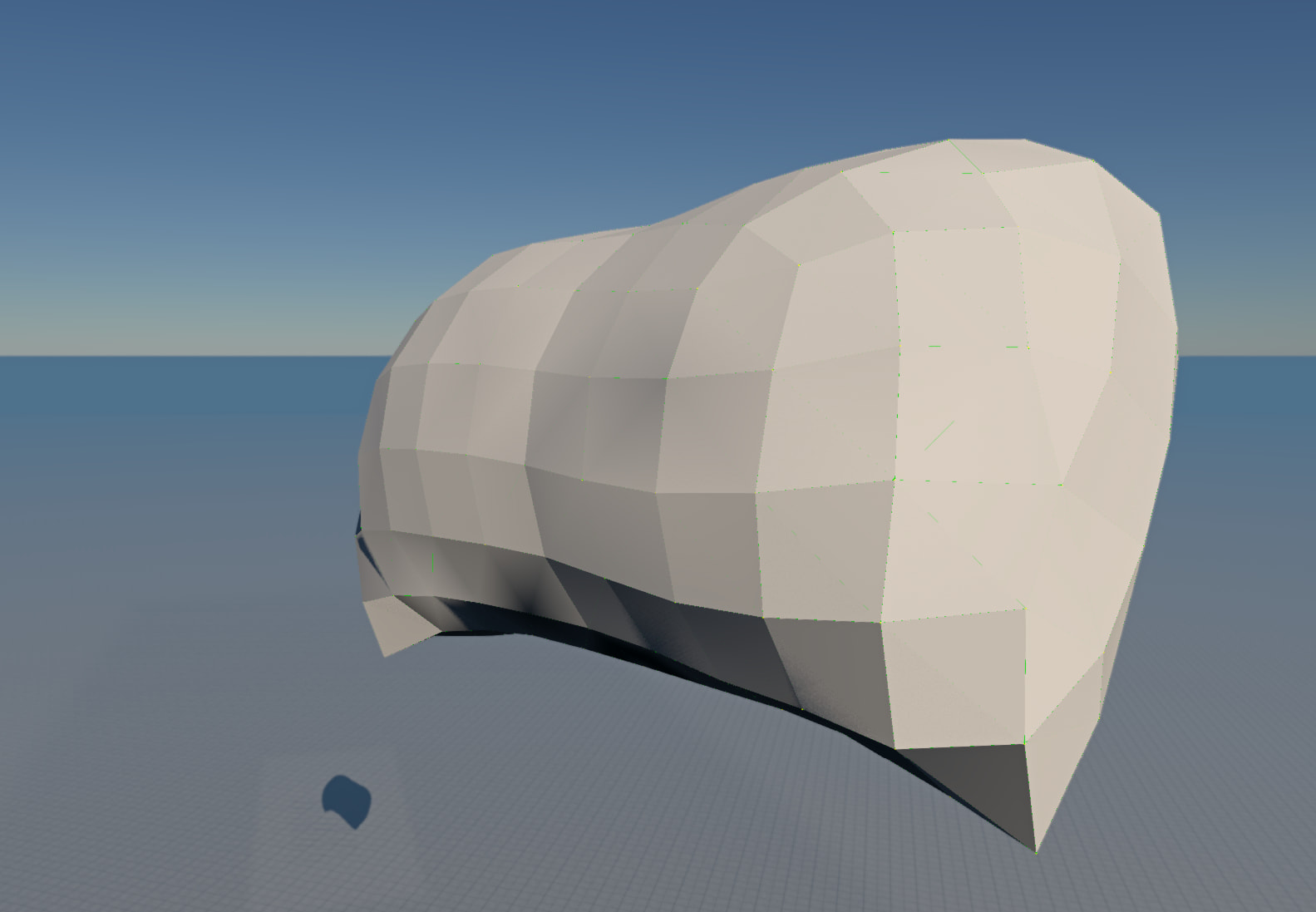
We also tested your mod geometry and it looks over-resolved for a pillow-sized volume: many nodes in a small space makes short beams, tight triangles, and high local stiffness, which worsens both stability and performance. We recommend coarsening the mesh (fewer nodes, longer typical beam lengths, spacing on the order of centimetres rather than dense sub-cm packing), then re-tuning beams and pressure. Fewer nodes also raises mass per node for the same total mass, which helps the solver.

Kind regards,

Abdulrahman Saeed
Research Software Engineer
BeamNG.tech Support Team
Hi again,
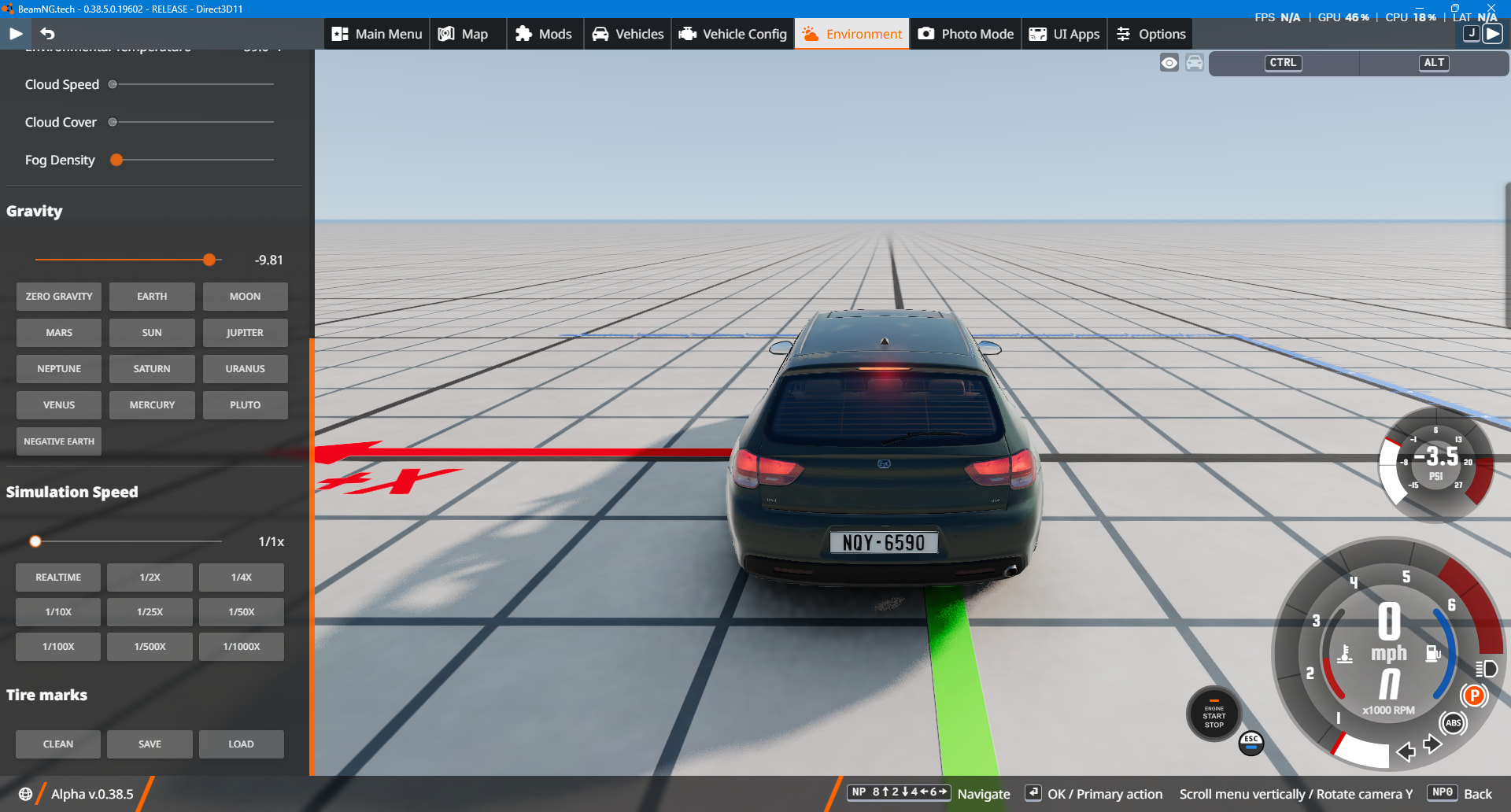
Thank you for the detailed response. I have a question regarding gravity. I am trying to create a controlled collision scenario where one box impacts another at a fixed translation speed. The moving object should behave kinematically and not be affected by gravity. How can gravity be disabled for individual objects in BeamNG?

Hello @SuvrangshuBarua,
you may fine it in Environment settings

Kind regards,

Abdulrahman Saeed
Research Software Engineer
BeamNG.tech Support Team
Hi,

Thank you for your help. I need another help, how do I move or launch an object? Is there any clear documentation or process. Such as launching cannon ball from cannon. Thank you.

Hello,
you may use set_velocity API

Kind regards,

Abdulrahman Saeed
Research Software Engineer
BeamNG.tech Support Team